What Is AI Resume Screening and How Does It Work?
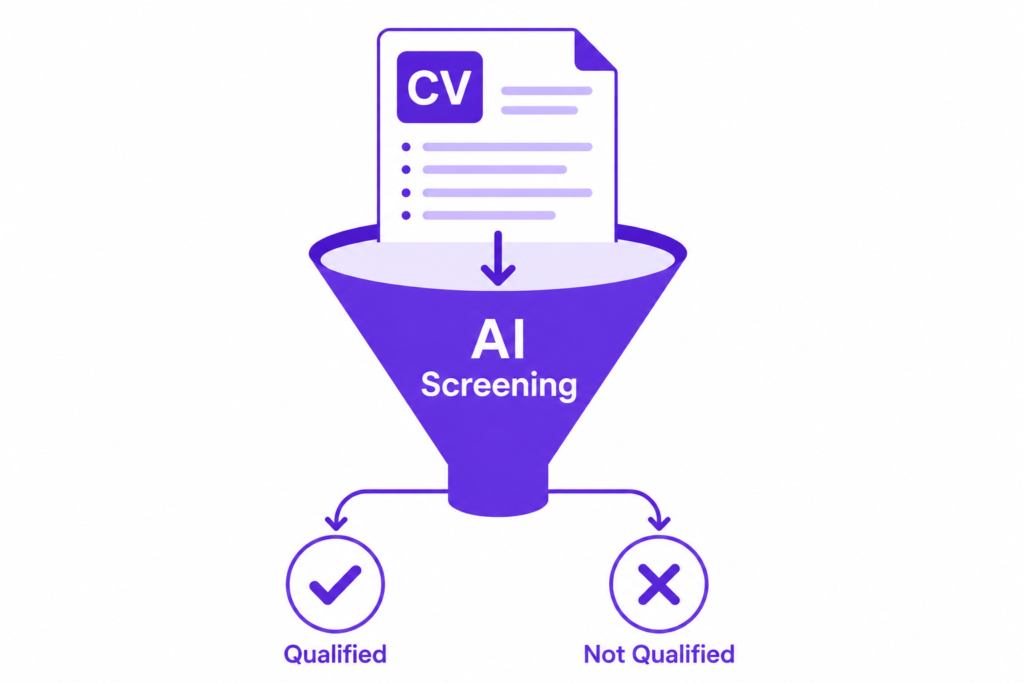
AI resume screening is an automated process that filters job applications before they reach a human recruiter. The software scores each CV against the job description, looking for keyword matches, formatting consistency, relevant experience, and red flags like unexplained gaps or mismatched qualifications.
The process happens in seconds. Your resume enters the system, the algorithm compares it against a set of weighted criteria pulled from the job posting, and it receives a score. Applications above the threshold move forward. Applications below it are archived, often permanently, regardless of how qualified the candidate actually is.
This is why strong candidates get no response. It is rarely about your qualifications. It is about whether your resume was formatted and worded in a way the algorithm could read and score correctly. You can read more about how these systems work on Wikipedia’s applicant tracking system page.
Should I Opt Out of AI Resume Screening?
Some job platforms now give applicants the option to opt out of automated screening and have their application reviewed directly by a human. Whether you should opt out depends on your situation.
Opt out if:
- Your experience is non-traditional or your career path is unconventional. AI screening is rigid and struggles with candidates who do not fit a standard mold.
- You are applying for a senior or specialist role where your depth of expertise is better judged by a human.
- Your resume includes a lot of project-based or freelance work that does not map neatly to job titles.
Do not opt out if:
- Your background is straightforward and your CV matches the job description closely. In this case, the algorithm will likely score you well and opting out may slow processing.
- The platform does not guarantee faster human review for opt-outs. Sometimes opting out simply moves you to a lower-priority pile.
Furthermore, opting out is not available on most platforms. For AI training platforms like Mercor, DataAnnotation, and Outlier AI, the screening process is fully automated and there is no opt-out option. Your only path through is a CV that the system can read and score correctly.
How to Get Past AI Resume Screening
Getting past automated screening is a craft, not a lottery. These are the factors that move the needle most:
Match the job description language exactly
AI screening software compares your CV against the job posting word for word. If the posting says “data annotation experience” and your CV says “labeling training datasets,” the algorithm may not connect them. Mirror the exact phrases used in the job description wherever you can do so honestly. Do not paraphrase when the original wording is available to you.
Use a clean, single-column layout
Multi-column CVs, tables, text boxes, and headers embedded in graphics frequently break automated parsers. The algorithm reads your resume as raw text. If that text is scrambled by a complex layout, your qualifications never make it into the scoring engine at all. A clean single-column format with standard section headings is the safest choice.
Put keywords in context, not just lists
Stuffing a skills section with keywords is a tactic that worked in 2018. Modern screening software scores keywords higher when they appear in context, inside a bullet point describing an actual achievement, rather than in a standalone list. Write “Reviewed and scored 500+ AI model outputs per week for accuracy and relevance” rather than simply listing “AI evaluation” in a skills block.
Use standard section headings
Clever section titles like “Where I’ve Been” or “What I Do Best” confuse parsers. Stick to: Work Experience, Education, Skills, Certifications. These are the headings the software is trained to find.
Quantify everything you can
Numbers score higher than adjectives in automated systems. “Managed a high-volume annotation workload” scores lower than “Completed 300+ annotation tasks per week at 98% accuracy.” Wherever you have a number, use it.
Best Resume Format for AI Screening in 2026
Format matters as much as content when your resume is being read by a machine first.
- File type: PDF or .docx. Both are reliably parsed by modern ATS software. Avoid .pages, .odt, or image-based PDFs created from scans.
- Font: Standard fonts only. Arial, Calibri, Georgia, or Times New Roman. Decorative fonts either render incorrectly or are stripped out entirely.
- Length: One to two pages. Longer CVs are not penalized by most systems, but the highest-scoring content should appear on page one since some parsers weight earlier content more heavily.
- No headers or footers: Content in header and footer fields is often ignored entirely by parsing software. Keep your contact information in the body of the document.
- No images, logos, or icons: These are invisible to text parsers and take up space that could contain scoreable content.
- Consistent date formatting: Use the same format throughout. “Jan 2023” and “January 2023” and “01/2023” in the same document can confuse timeline parsing.
Check Your CV Before You Apply With RoastMyCV
Knowing the rules is one thing. Knowing whether your specific CV actually follows them is another. RoastMyCV is a free tool built into Talents for AI that analyzes your resume against real recruiter criteria and AI screening standards before you submit it anywhere.
Upload your CV, enter the target role and your location, and the tool gives you instant feedback on the sections most likely to get filtered out. The free Quick Check identifies your top one to two issues immediately. The AI Pro plan at $6.99 gives you section-by-section scores out of 10, keyword gap analysis, and job description matching so you can see exactly where your CV falls short against a specific posting. The CV Rewrite plan at $9.99 goes further, generating a complete rewritten version of your CV based on your answers to targeted questions, with achievement-focused rewrites and downloadable output.
For anyone applying to AI training platforms specifically, the keyword gap analysis is particularly useful. These platforms screen heavily for domain expertise terminology, and a generic CV without the right language will not clear the filter regardless of your actual qualifications.
You can run your free check at talentsforai.com/roastmycv. No account required for any tier.
How to Pass Resume Screening on AI Training Platforms Specifically
AI training platforms like Mercor, DataAnnotation, and Outlier AI use their own screening systems on top of standard ATS logic. A few platform-specific points worth knowing:
Lead with your domain expertise. These platforms are not hiring generalists. If you are a nurse, lawyer, accountant, or software engineer, that credential should be in your first bullet point, not buried in an education section at the bottom.
Include language proficiency explicitly. Many AI training roles require native or near-native fluency in specific languages. State this clearly: “Native Arabic speaker” or “C2 proficiency in Spanish” rather than assuming it is implied by your background.
Additionally, include any prior experience with AI-related tasks even if informal. “Completed 200+ RLHF evaluation tasks on [platform]” is a concrete, scoreable credential that generic CVs from other industries will not have.
Once your CV is ready, you can browse current open AI training roles across multiple platforms at Talents for AI.
Frequently Asked Questions
How do you pass AI resume screening?
Mirror the exact language from the job description, use a clean single-column format, put keywords in context rather than lists, use standard section headings, and quantify your achievements with numbers. Before you apply, run your CV through a tool like RoastMyCV at talentsforai.com/roastmycv to identify specific gaps against the role you are targeting.
Should I opt out of AI resume screening?
Only if the platform offers that option and your background is non-traditional or hard for an algorithm to categorize. For most AI training platforms, there is no opt-out option available. Your only path through is a well-formatted, keyword-matched CV.
What is the best resume format for AI screening in 2026?
A clean single-column PDF or .docx file with standard section headings, no images or graphics, consistent date formatting, and keywords from the job description placed in context within achievement bullet points. Avoid tables, text boxes, multi-column layouts, and decorative fonts.
Does AI screening require any special equipment or software?
No. You just need a laptop or desktop computer to prepare and submit your CV. A standard word processor like Microsoft Word or Google Docs is sufficient. Mobile phones are not suitable for completing assessments or submitting applications on most AI training platforms.
Can applicants from any country use RoastMyCV?
Yes. RoastMyCV is available worldwide. The free Quick Check requires no account. Paid plans are processed via Stripe. For AI training job applications specifically, most roles accept worldwide applicants with payment via Deel (160+ countries) or Stripe (46 countries). Sanctioned countries including Russia, Iran, North Korea, and Belarus are not eligible.